If you want to know how to avoid Facebook account restrictions, start with one fact: Facebook does not restrict an account because you posted. It restricts accounts when behavior looks like spam, repeated violations, or fake activity. This guide explains what triggers those restrictions in 2026, how Meta’s strike system works, and the posting habits that keep your account, Pages, and Groups in good standing.
It is written for marketers, online sellers, and group admins who post often. Everything here follows Meta’s published policies. It does not cover ways to hide activity from Facebook’s systems, because those tactics usually make restrictions worse.
Quick summary
- Restrictions come from policy violations and spam signals, not from simply being active.
- Meta’s Spam policy bans posting, sharing, or engaging at very high frequencies, manually or automatically.
- Repeated, near-identical posts across many Groups are a common spam signal.
- Check Account Status regularly so you see warnings early.
- If you are restricted, use the in-app review option instead of creating new accounts.
Video guide: how to avoid Facebook account restrictions
Prefer to watch first? This short video covers the same ideas.
Why Facebook restricts accounts
Meta applies the same Community Standards worldwide. For posting activity, the policy that matters most is the Spam policy. It says Meta does not allow content designed to deceive, mislead, or overwhelm people in order to artificially increase viewership.
According to that policy, the following are not allowed:
- Posting, sharing, engaging with content, or creating accounts, Groups, Pages, or Events at very high frequencies, either manually or automatically.
- Buying, selling, or exchanging platform assets such as accounts, Groups, or Pages, or site privileges such as admin roles.
- Buying, selling, or exchanging likes, shares, views, follows, or clicks.
- Sharing deceptive links, including misleading links, cloaking, and deceptive redirects.
- Like or share gating, which means requiring engagement before someone can see promised content.
The policy also notes that Meta may restrict accounts that act at lower frequencies when other spam indicators are present, such as repetitive content or signs of inauthenticity. In other words, there is no single safe number of posts per day. Context and content quality matter.
How Facebook’s strike system works
Meta’s page on restricting accounts (updated November 12, 2024) describes how strikes lead to restrictions on Facebook accounts. Check that page for the latest details, because Meta can change its rules.
| Strikes | What generally happens |
|---|---|
| 1 | Warning only |
| 2 to 6 | Restricted from specific features, such as posting in Groups, for a limited time |
| 7 | 1-day restriction from creating content (posting, commenting, creating a Page, and more) |
| 8 | 3-day restriction from creating content |
| 9 | 7-day restriction from creating content |
| 10 or more | 30-day restriction from creating content |
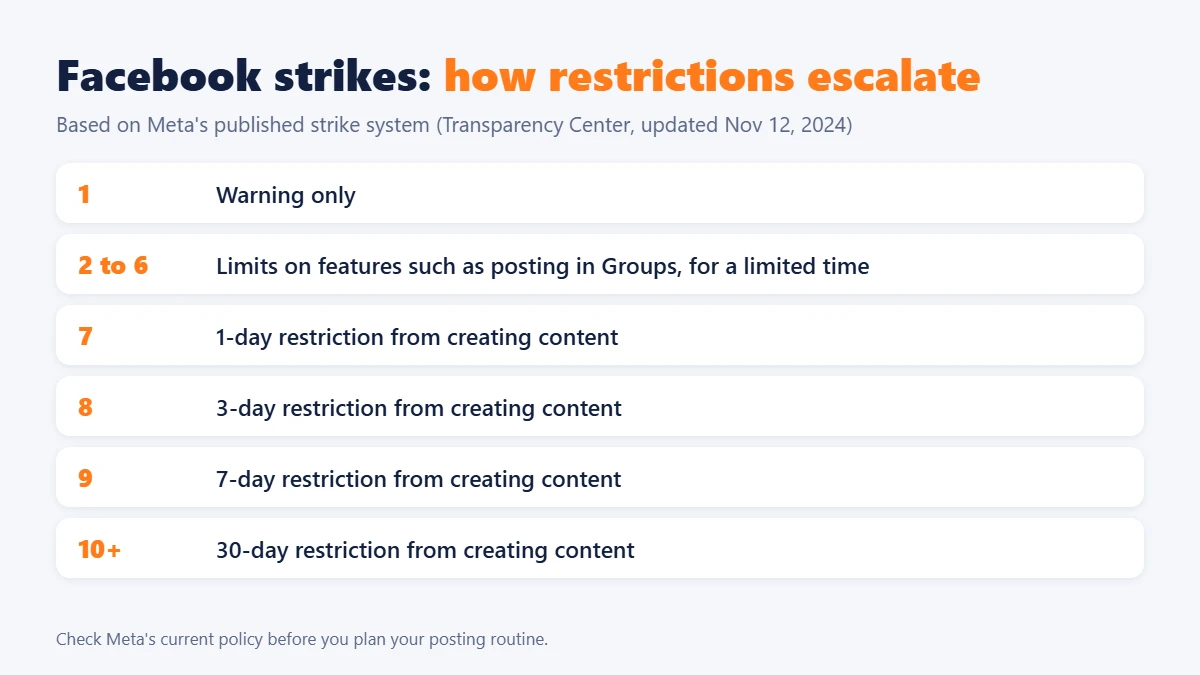
Meta also says that if you keep posting content that violates the Community Standards after repeated warnings and restrictions, it may disable your account. More severe violations can bring longer restrictions from certain features, starting at the first strike. Groups and Pages that repeatedly violate policies can lose distribution, and Groups may be required to have an admin approve posts.
Knowing this ladder is part of learning how to avoid Facebook account restrictions, because most limits start small and grow. Because strikes accumulate, one careless week of repetitive posting can leave you with limits on Group posting that affect your whole marketing routine.
How to avoid Facebook account restrictions: 6 safe posting habits
1. Write for each audience, not for a copy-paste list
The same text pasted into many Groups looks like spam to members and to Facebook. Adjust the opening, the example, and the call to action to fit each Group. If a post would feel out of place when read by that Group’s members, do not publish it there.
2. Read and follow each Group’s rules first
Group admins can remove posts, mute you, or ban you, and repeated removals can add to your record. Check the rules for promotion, links, and posting days before you post. If a Group bans promotion, ask the admin for a sanctioned way to share, such as a weekly promo thread.
3. Keep frequency human and varied
Meta does not publish an exact safe limit, so avoid sudden jumps. If you normally post a few times a week, do not jump to dozens of posts in one day. Space posts out, vary the format between text, images, and links, and spend time on genuine replies and comments.
4. Use links that match what you promise
Misleading links, redirects that change the domain, and landing pages that behave differently from what the post promised are all listed as spam behaviors. Send people to a page that matches the post, and say clearly what they will find there.
5. Never trade for engagement
Buying likes, followers, or views, or running “like to enter” giveaways with money or prizes, breaks the Spam policy. Build engagement by answering questions and posting useful content.
6. Protect your login and account details
Use a strong, unique password and two-factor authentication. Check that your name, email, and phone number are accurate. Unusual login activity can lead to security checks, and a compromised account can post spam without you knowing.
What about auto posting and scheduling tools?
Scheduling is not the problem. Meta’s own tools, such as Meta Business Suite, let you plan posts for Pages. The risk comes from using any tool, including a third-party one, to publish at very high frequencies or to repeat the same content at scale. Meta’s Spam policy covers activity done “either manually or automatically,” so using automation does not change which rules apply.
If you do use a tool to manage several accounts or schedule content, treat it as a way to stay organized, not to multiply volume:
- Keep the posting rhythm slower than you could do by hand.
- Write different copy for different destinations.
- Review results and removals regularly, and stop if you see warnings.
- Do not use a tool that promises to avoid detection. No tool can guarantee it, and Meta’s rules still apply to you.
For background on managing several accounts, see our guides on Facebook account management software and social media auto-posting software.
How to spot warning signs early
Check your Account Status on Facebook. Meta says you can see your history of violations and some restrictions there, including how long they will last. Look for these signs:
- A notice that a post was removed for going against the Community Standards.
- A message that you cannot post in Groups for a period of time.
- Posts that suddenly get far fewer views than usual.
- Extra security checks or login confirmations.
If you see one of these, stop posting similar content and review what was removed before you do anything else. If you want to check whether your accounts are still active, our guide on checking the live or die status of Facebook accounts can help.
What to do if your account is restricted
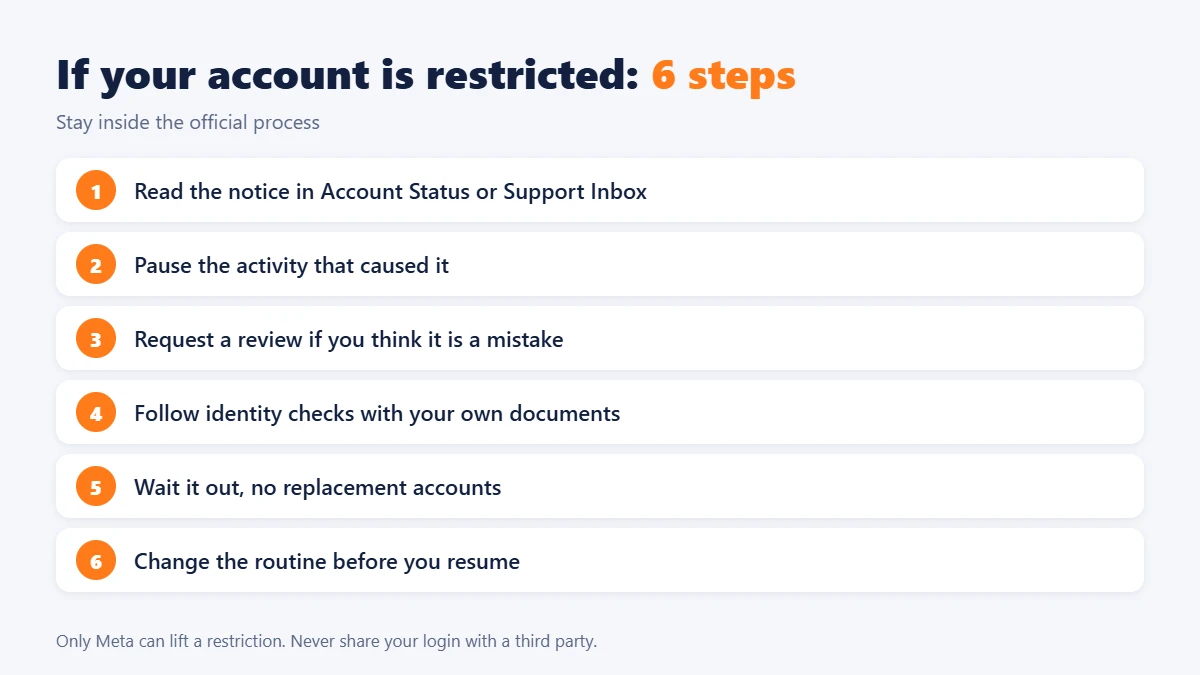
Even careful posters can be restricted by mistake, so it helps to know the steps. The best way to avoid Facebook account restrictions is prevention, but here is what to do if one still happens.
- Read the notice. Open Account Status or your Support Inbox to see what was removed and for how long the restriction lasts.
- Pause the activity that caused it. If it was Group posting, stop posting similar content, even from other accounts.
- Request a review if you think it is a mistake. Meta says mistakes happen, and that if content actually followed the Community Standards, it will put the content back and remove the strike and restriction.
- Follow the identity checks Facebook asks for. Use only your own documents and the official flow in the app.
- Wait out the restriction. Do not open replacement accounts to get around it. That can be treated as further abuse and put your original account at risk.
- Change the routine. Reduce volume, rewrite templates, and review each Group’s rules before you resume.
Be careful with websites or videos that promise to remove restrictions for a fee. Only Meta can lift them, and sharing your login details with a third party is a security risk.
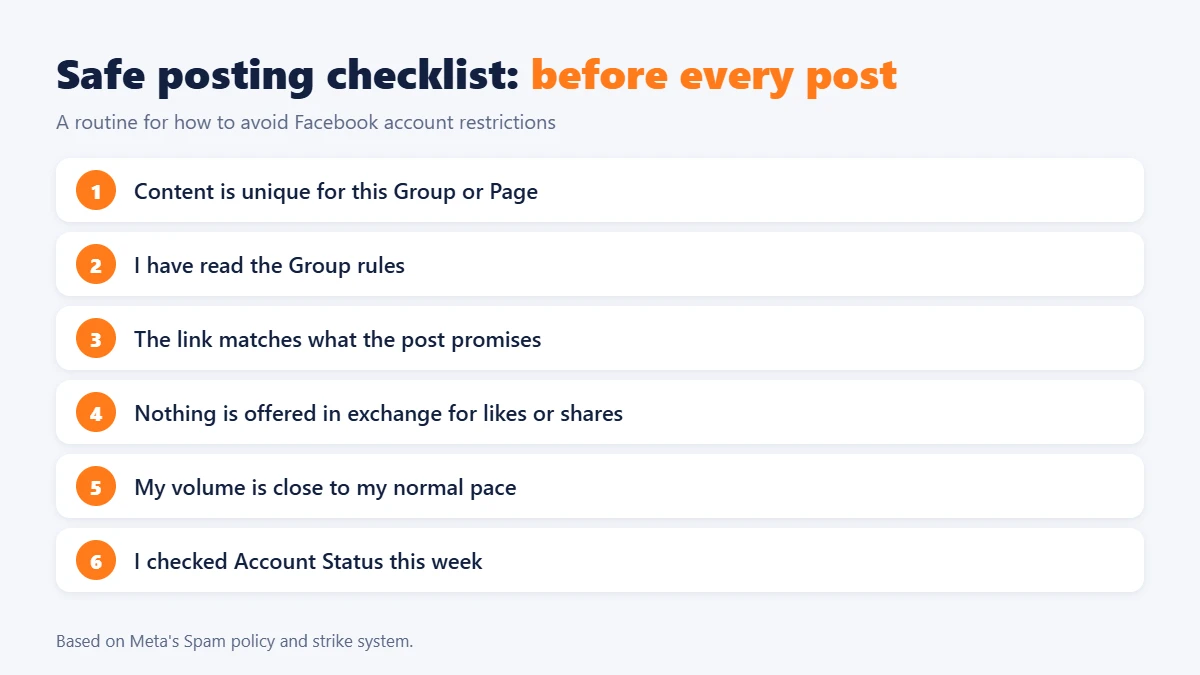
Safe posting checklist
Use this table as a routine for how to avoid Facebook account restrictions. Run through it before each batch of posts.
| Before you post | Why it matters |
|---|---|
| Is the content unique for this Group or Page? | Repetitive content is a spam signal |
| Have I read the Group rules? | Removals and bans add risk |
| Does the link match the promise? | Misleading links break the Spam policy |
| Am I offering anything in exchange for likes or shares? | Trading for engagement is not allowed |
| Is my volume much higher than usual? | Sudden spikes can look automated |
| Did I check Account Status this week? | Warnings show up there first |
FAQ
How do I avoid Facebook account restrictions on my own account?
Follow the Community Standards, avoid repetitive or very high-frequency posting, use honest links, never trade for engagement, and check Account Status regularly. No habit gives a guarantee, but these steps remove the most common causes.
Can I get restricted for posting in too many Facebook Groups?
Yes, it is possible. Meta’s Spam policy prohibits posting at very high frequencies and may restrict accounts when it sees repetitive content. Meta does not publish a fixed limit, so vary your content and keep your pace steady.
Is auto posting against Facebook’s rules?
Scheduling in itself is not banned, and Meta offers its own scheduling tools. However, the Spam policy covers activity done manually or automatically, so using automation at very high frequencies or to repeat content can lead to restrictions.
How long do Facebook restrictions last?
It depends on your strike history. Under the system Meta describes, early strikes can limit features such as Group posting for a limited time, and later strikes can mean content-creation bans from 1 to 30 days. Account Status shows how long a restriction will last.
How do I remove a restriction on my Facebook account?
Open Account Status or your Support Inbox, read the notice, and use the in-app option to disagree if you think it was a mistake. Meta says it will remove the strike if the content actually followed the Community Standards.
Should I create a new account if I am restricted?
No. Creating replacement accounts to get around a restriction can lead to further action. Wait for the restriction to end, change your posting routine, and request a review if you believe it was an error.
Conclusion
If you only remember one thing about how to avoid Facebook account restrictions, treat the rules as a checklist: unique content, realistic posting pace, honest links, no paid engagement, and regular checks of Account Status. If you manage many accounts and want a clearer workflow, start with our guides on managing Facebook accounts, and always check Meta’s current policies before you scale up.