Want to increase TikTok LIVE viewers without guessing every time you go live? The problem is usually not one single thing. Most LIVE rooms stay quiet because the audience is not warmed up, the opening is too slow, the host does not give people a reason to comment, and the team does not review what happened after the session.
This guide is written for online sellers, TikTok Shop teams, affiliates, small brands, and agencies that want a repeatable TikTok LIVE workflow. You will learn how to prepare before going live, keep viewers watching longer, turn comments into momentum, and use analytics to improve the next session.

Quick Answer: How Do You Increase TikTok LIVE Viewers?
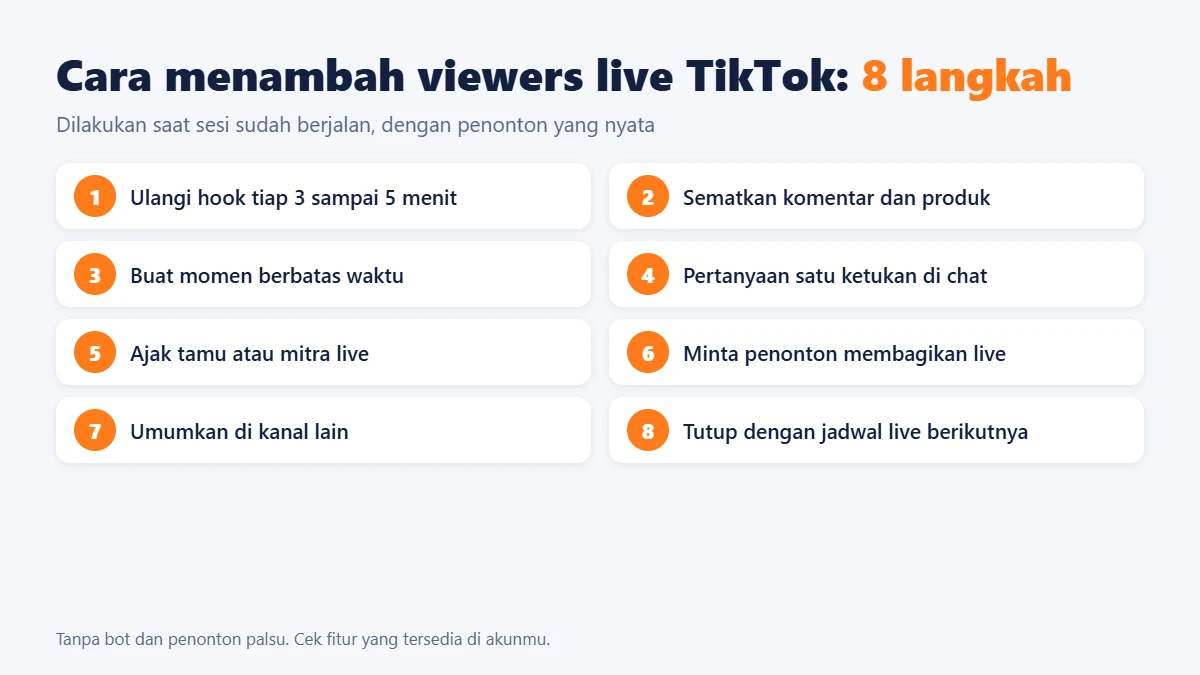
To increase TikTok LIVE viewers, promote the session before it starts, use a clear live title, open with a strong hook, keep the first 10 minutes active, ask simple questions, pin attractive products or offers, and review retention data after every stream. If you manage multiple accounts or repeated live campaigns, a software workflow can help reduce manual work.
Table of Contents
- Why TikTok LIVE viewers stay low
- How TikTok LIVE discovery works
- Pre-live promotion checklist
- What to do in the first 10 minutes
- Engagement and retention tactics
- Metrics to review after each LIVE
- How MKT TikPro can support the workflow
- FAQ
Why TikTok LIVE Viewers Stay Low
A TikTok LIVE session does not automatically get viewers just because the account has followers. Many sellers go live, wait for people to arrive, and only start selling when the room feels busy. That creates a weak opening. New viewers enter, see nothing interesting happening, and leave within seconds.
Low LIVE viewership usually comes from a mix of weak preparation, inconsistent timing, unclear content, and poor viewer retention. TikTok can show your LIVE to more people, but it needs signals that viewers are staying, interacting, and finding the session relevant.
No clear reason to join now
People scroll fast. A live title like “Live now” or “Come shop” is too vague. A better title tells viewers what they get: a product demo, a limited offer, a Q&A, a comparison, a flash sale, or a useful explanation.
The first minute feels empty
When a host waits silently for viewers, early retention drops. Prepare a 60-second opening script before every stream. The host should repeat the topic, show the main product or offer, and ask an easy question immediately.
No repeatable promotion system
Many teams only announce the LIVE once. A stronger workflow uses short videos, stories, profile updates, group posts, and reminders before the session starts. The goal is to make the LIVE feel expected, not random.
How TikTok LIVE Discovery Works
TikTok can surface LIVE content through the For You feed, following tab, search behavior, product discovery, and in-app recommendations. The exact ranking system is not public, so sellers should focus on practical signals they can control: relevance, viewer retention, interaction, consistency, and content quality.
For teams using paid promotion, TikTok also provides official tools such as Promote, which can help improve visibility by promoting content as an ad. TikTok’s own support page explains Promote as a tool for increasing engagement and visibility, so it can be useful when the organic room needs an initial push: TikTok Promote guide.
Organic and paid tactics work best when the LIVE itself is strong. Paid traffic can bring people into the room, but a weak hook, poor audio, slow product demo, or unclear offer will still lose viewers quickly.
Pre-LIVE Promotion Checklist
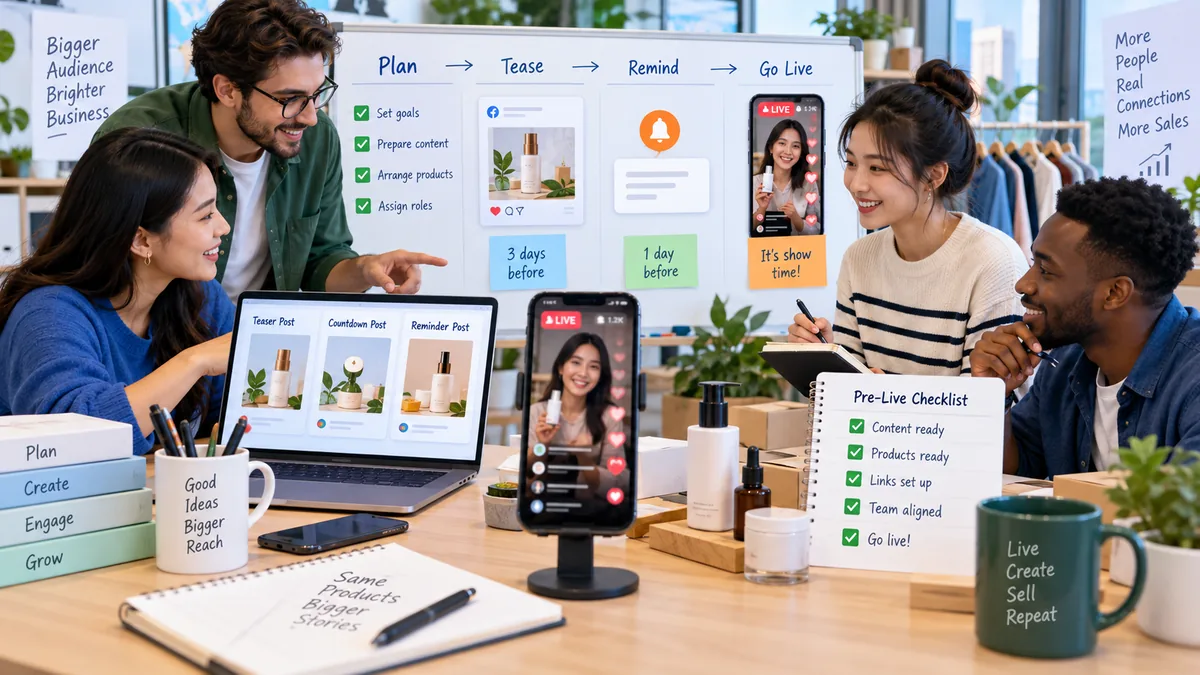
The easiest way to increase TikTok LIVE viewers is to stop treating the LIVE as a single event. Treat it as a campaign. The session starts before the host presses the live button.
1. Choose one clear LIVE topic
Do not make the room about everything. A focused topic is easier to promote and easier for viewers to understand. Examples: “new product demo,” “best deals under 20 dollars,” “how to choose the right size,” “affiliate product review,” or “live Q&A for first-time buyers.”
2. Publish short teaser videos
Post 1-3 short videos before the LIVE. Each teaser should answer one question or create one reason to attend. Keep it direct: show the product, mention the live time, explain the benefit, and tell viewers what to ask in the comments.
3. Use a searchable LIVE title
A good LIVE title combines the product, audience, and promise. Instead of “LIVE sale,” use “Skincare routine demo for oily skin,” “TikTok Shop flash deals for home products,” or “Affiliate product testing live.” Searchable wording helps TikTok and viewers understand the room faster.
4. Promote across other channels
If your audience also follows you on Facebook, Instagram, Telegram, WhatsApp, email, or marketplace communities, remind them there too. Cross-channel promotion is especially useful for brands that already have warm audiences outside TikTok.
What to Do in the First 10 Minutes
The first 10 minutes decide whether a LIVE room feels alive or flat. Your goal is not only to wait for viewers; your goal is to generate signals that make new visitors stay.
Open with the offer and the reason
Start with one sentence that explains what is happening: “Today we are testing three best-selling home products and answering buyer questions live.” Then show the product or result on screen. Viewers should understand the value before they decide to leave.
Ask low-friction questions
Do not begin with questions that require a long answer. Use simple prompts: “Which one do you want to see first, A or B?” “Where are you watching from?” “Do you want the budget option or premium option?” Easy comments help create movement in the room.
Repeat the context for new viewers
New viewers enter at different times. Repeat the main topic every few minutes without sounding robotic. This helps late arrivals understand the session and prevents the room from becoming confusing.
Engagement and Retention Tactics That Actually Help
Increasing viewers is not only about bringing more people in. It is also about keeping enough people inside the room so TikTok sees the LIVE as worth distributing.
Use a simple 7-minute host loop
A practical host loop keeps the LIVE from drifting. Every 7 minutes, rotate through four actions: restate the main offer, demonstrate one product detail, answer comments, and invite a small action such as following, commenting, or checking the pinned product.
Create small moments instead of long monologues
Long explanations can work for warm viewers, but cold viewers need visible activity. Use product comparisons, mini demos, price reveals, before-after examples, quick polls, and comment-based choices. The more the room reacts, the easier it is for new viewers to join the flow.
Pin the right product at the right moment
If you sell through TikTok Shop, product pins should match the topic currently being discussed. Do not keep one irrelevant product pinned for the entire session. Change the focus when the host changes the demo.
Train moderators to support the host
A moderator can welcome viewers, answer repeated questions, remind people of the offer, and collect useful comments for the host. This keeps the live experience smoother, especially when viewers increase.
Metrics to Review After Each TikTok LIVE
If you want repeatable growth, review every live session like a campaign. The goal is to find what made viewers enter, stay, comment, click, and buy.
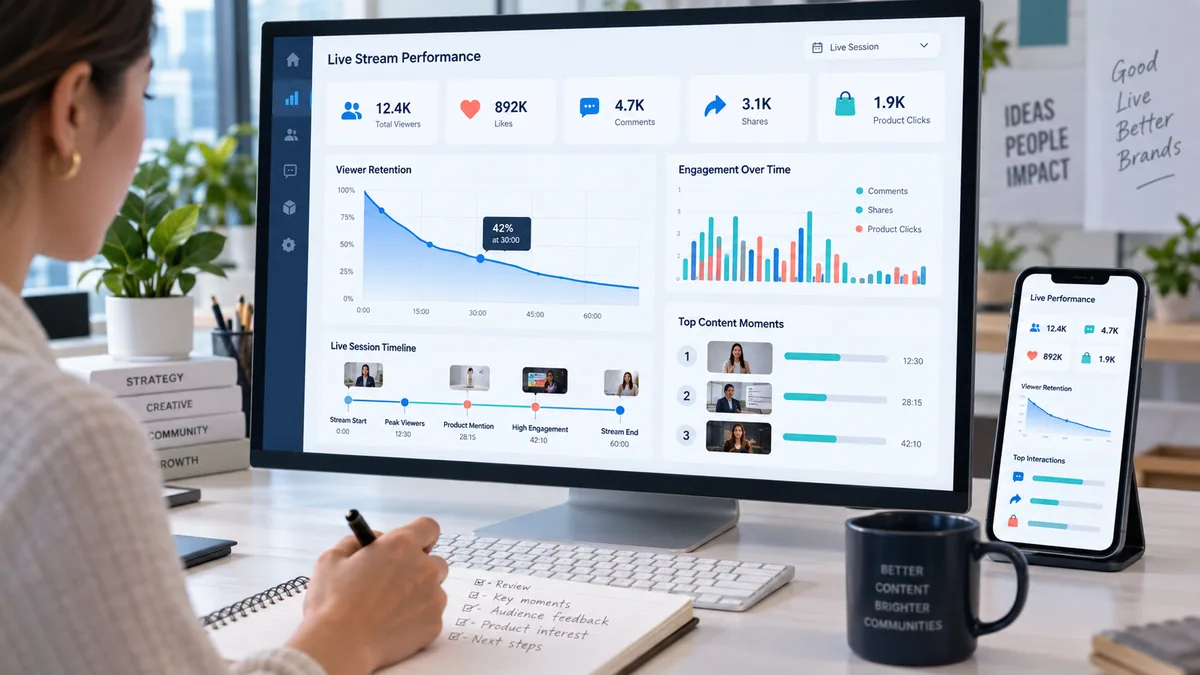
Peak concurrent viewers
This shows the highest number of viewers watching at the same time. If peak viewers are low, your pre-live promotion or discovery hook may need improvement.
Average watch time
This is one of the most useful retention signals. If people enter but leave quickly, improve the opening, pacing, product demo, and comment interaction.
Comment rate
Comments show whether viewers feel invited to participate. If comment rate is low, simplify your questions and give viewers a reason to respond.
Product clicks and conversion path
For selling sessions, views alone are not enough. Track whether viewers click products, ask price questions, save items, or message the brand after the LIVE.
Should You Use Paid Boost to Increase TikTok LIVE Viewers?
Paid boosting can help when you already have a good LIVE format but need more initial traffic. It is less useful when the room has poor retention. Before spending budget, make sure the title, offer, first 10 minutes, product demo, and moderator workflow are ready.
A healthy approach is to test small budgets, compare retention by traffic source, and keep improving the live script. Do not judge success only by total viewers. A smaller audience that watches longer and asks buying questions may be more valuable than a larger room with no intent.
How MKT TikPro Can Support a TikTok LIVE Workflow
MKT TikPro is relevant when a team needs to manage TikTok marketing activities more consistently, especially around repeated campaigns, multiple accounts, engagement monitoring, and live operation routines. The product should not replace content quality or the host’s skill, but it can help reduce manual work and make the workflow more organized.
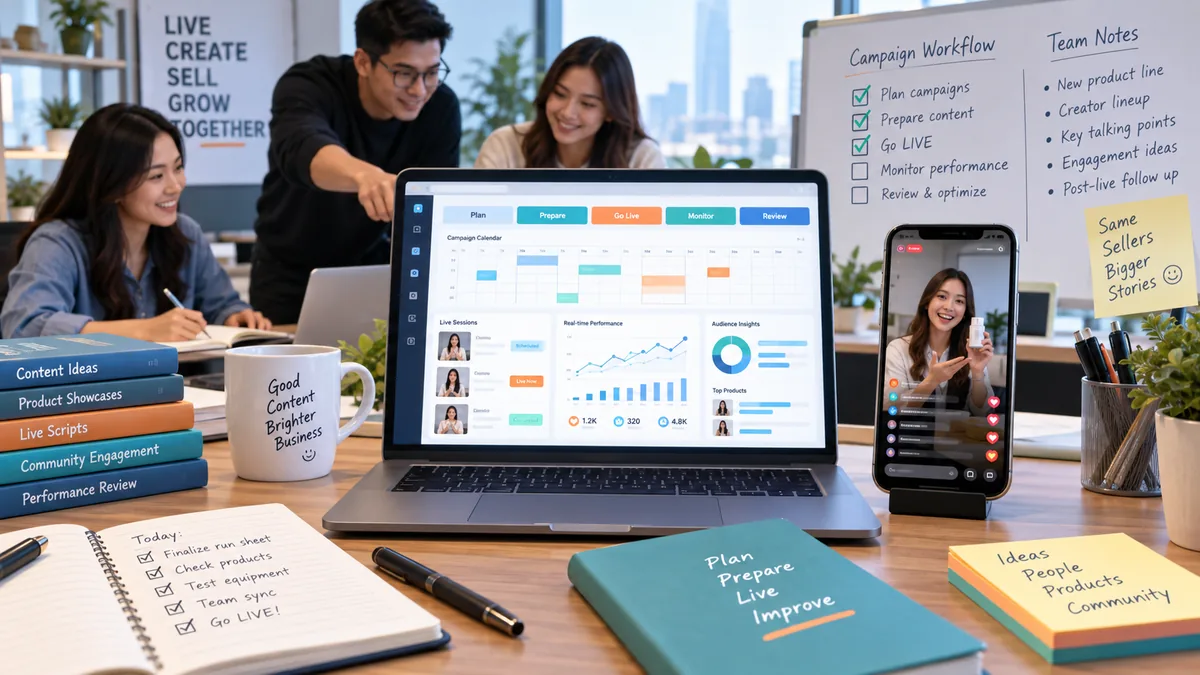
For sellers and agencies, the practical value is workflow support: planning tasks before the LIVE, organizing account activity, reviewing engagement, and keeping campaigns consistent. This is useful when the team runs many sessions per week and manual tracking becomes messy.
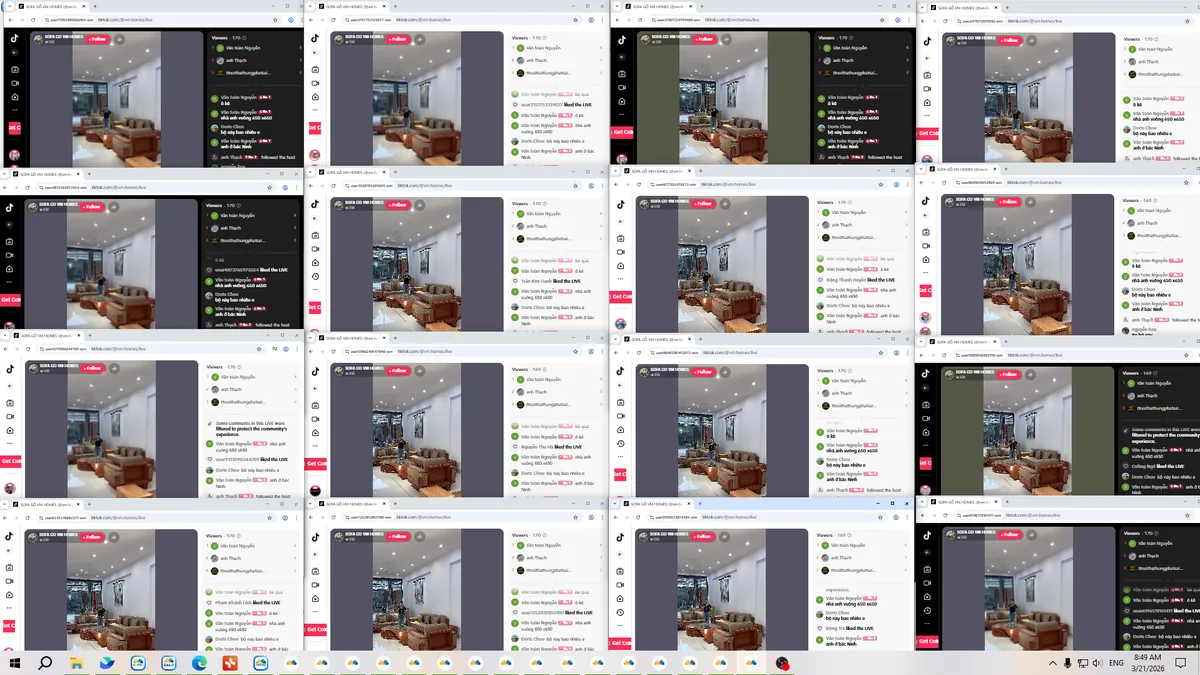
You can also watch a real demonstration of the workflow here: MKT TikPro LIVE demo video.
If you want to explore the wider MKT Software ecosystem, start from the MKT Software homepage or browse more content in the MKT Software blog.
Mistakes to Avoid When Trying to Get More LIVE Viewers
Buying low-quality viewers
Low-quality viewers may make the number look bigger for a moment, but they usually do not comment, watch, click, or buy. A better goal is qualified attention from people who might actually care about your offer.
Changing everything after one bad session
One weak LIVE does not prove the whole strategy is wrong. Test one variable at a time: title, topic, opening script, product order, live time, or CTA. Small controlled changes make learning faster.
Making every minute a hard sell
People join LIVE sessions for information, entertainment, confidence, and real-time interaction. Selling matters, but the room should also answer doubts, compare options, and make viewers feel involved.
Related TikTok LIVE Articles
To build a stronger TikTok marketing system, continue with these guides:
- Cara meningkatkan viewers livestream untuk jualan online
- Cara meningkatkan interaksi TikTok Live
- Cara live TikTok yang efektif untuk penjualan online
- Cara posting otomatis di TikTok untuk bisnis
FAQ About Increasing TikTok LIVE Viewers
How can I get more viewers on TikTok LIVE?
Promote the session before going live, use a clear title, open with a strong hook, ask simple questions, keep the room active, and review analytics after each session.
What is the best time to go live on TikTok?
The best time depends on your audience. Test several time slots, then compare viewer count, watch time, comments, and product clicks. For global audiences, test by region rather than relying on one universal time.
Does posting before going live help?
Yes. Short teaser videos can warm up your audience and give TikTok more context about your topic. Post teasers that clearly mention what viewers will see during the LIVE.
Can software increase TikTok LIVE viewers automatically?
Software can support planning, account management, monitoring, and workflow consistency. It should be used together with strong content, good hosting, clear offers, and ethical promotion.
Conclusion
To increase TikTok LIVE viewers, build a complete workflow instead of relying on luck. Prepare the audience before the session, make the first 10 minutes active, keep viewers engaged, and review data after every LIVE. Over time, this creates a stronger signal loop: better topics, better retention, better interaction, and more qualified viewers.
Want a more organized TikTok marketing workflow? Contact MKT Software for guidance on tools that support social media marketing, TikTok campaign management, and multi-account operations.
Consult MKT Software
WhatsApp: +84 87 659 4809
Telegram: @vumtienmkt