Managing Facebook for a business sounds simple until the work spreads across several profiles, pages, groups, campaigns, and customer conversations. One account needs content. Another needs profile updates. A page needs replies. A group campaign needs tracking. Before long, the team is spending more time switching tabs than improving the actual marketing.
That is where Facebook account management software becomes useful. The goal is not to replace good marketing judgment or ignore platform rules. The goal is to organize daily work, reduce repetitive tasks, and help a small business or agency keep a cleaner workflow when Facebook is part of the sales channel.

What Is Facebook Account Management Software?
Facebook account management software is a tool that helps marketers manage account-related tasks from one system instead of handling everything manually. Depending on the software, this can include account organization, profile management, content posting, interaction tracking, comment workflows, messaging support, and campaign monitoring.
For a solo seller, the problem might be simple: keeping one profile and one page active every week. For an agency or growing business, the problem becomes much bigger. You may need to manage several accounts, publish content across different destinations, respond to comments, track what has been posted, and keep every account structured enough that the team does not lose control.
The best use case is workflow support. A business should still create useful content, respect Facebook policies, avoid spam behavior, and build real relationships with customers. Software is helpful when it makes the repeatable parts more organized.
Why Small Businesses Need a Better Facebook Workflow
Many small businesses still use Facebook as a practical selling channel. Local services, e-commerce stores, affiliate marketers, training providers, recruiters, and agencies often rely on Facebook profiles, pages, groups, and messages to keep conversations moving.
The problem is that Facebook marketing can become messy fast. A team may have different people posting content, answering messages, joining groups, checking comments, and updating profiles. Without a shared workflow, work gets repeated, posts go live inconsistently, and promising leads can be missed.
A clearer Facebook account management process helps with four things: visibility, consistency, accountability, and speed. The team can see what needs to be done, keep a stable publishing rhythm, know who is responsible for each task, and spend less time on basic operations.
Common Problems When Managing Multiple Facebook Accounts
Too much manual switching
Logging in and out, checking different profiles, and moving between pages or groups can eat a large part of the day. Manual switching also increases the chance of mistakes, such as posting the wrong content to the wrong place.
Inconsistent content activity
Facebook marketing usually works better when the business shows up consistently. If the team forgets to publish, repeats the same message too often, or does not track what has already been posted, content quality and audience trust both suffer.
Hard-to-track engagement
Comments, shares, reactions, and messages are useful signals. But when activity is spread across accounts and campaigns, it becomes difficult to understand what content is actually working.
Higher operational cost
When every task is manual, a business needs more time or more staff to do the same work. This is one reason small businesses and agencies look for automation tools: not to remove strategy, but to reduce repetitive execution.
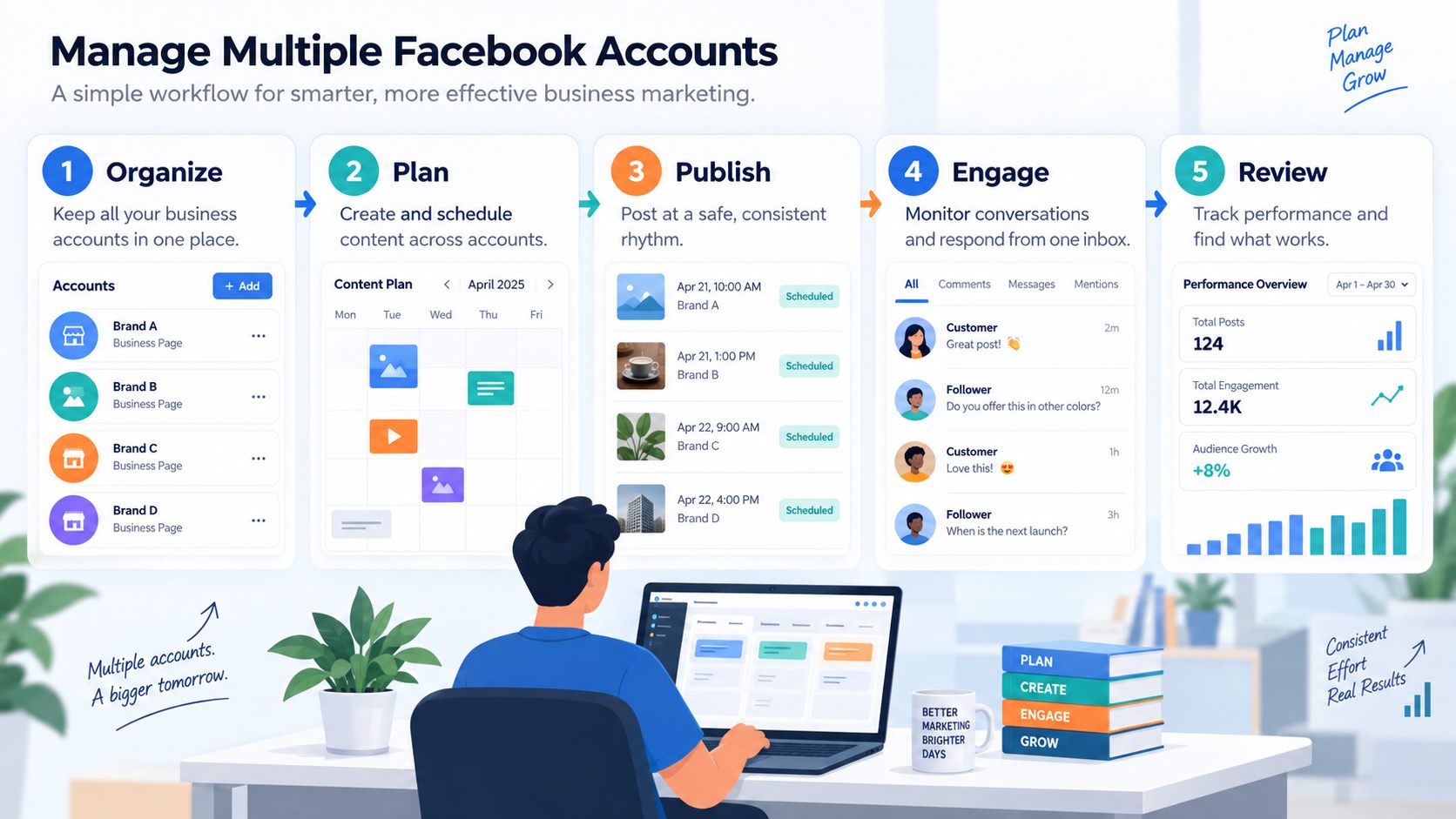
How to Manage Multiple Facebook Accounts More Efficiently
1. Separate accounts by role and campaign
Start with structure. Separate accounts by purpose: brand communication, customer support, campaign outreach, community activity, or internal testing. A clear naming system and ownership list can prevent confusion as the number of accounts grows.
2. Build a reusable content library
Instead of writing every post from zero, create reusable content groups for offers, product education, testimonials, FAQs, seasonal campaigns, and community posts. This helps the team publish faster while still keeping the message relevant.
3. Use a safe posting rhythm
Automation should support consistency, not aggressive spam. A healthy workflow includes planned timing, variation in content, review before publishing, and clear limits. The point is to look organized and useful to real people.
4. Track comments and conversations
Engagement is only valuable when the team follows up. Make sure comments, messages, and campaign responses are reviewed. If a post attracts questions from potential customers, that is where the sales opportunity usually begins.
5. Review what works every week
Do not automate blindly. Review which content formats bring replies, which groups or pages produce useful conversations, and which messages lead to demos or consultations. Then improve the next week’s plan.
Where MKT Care Fits Into This Workflow
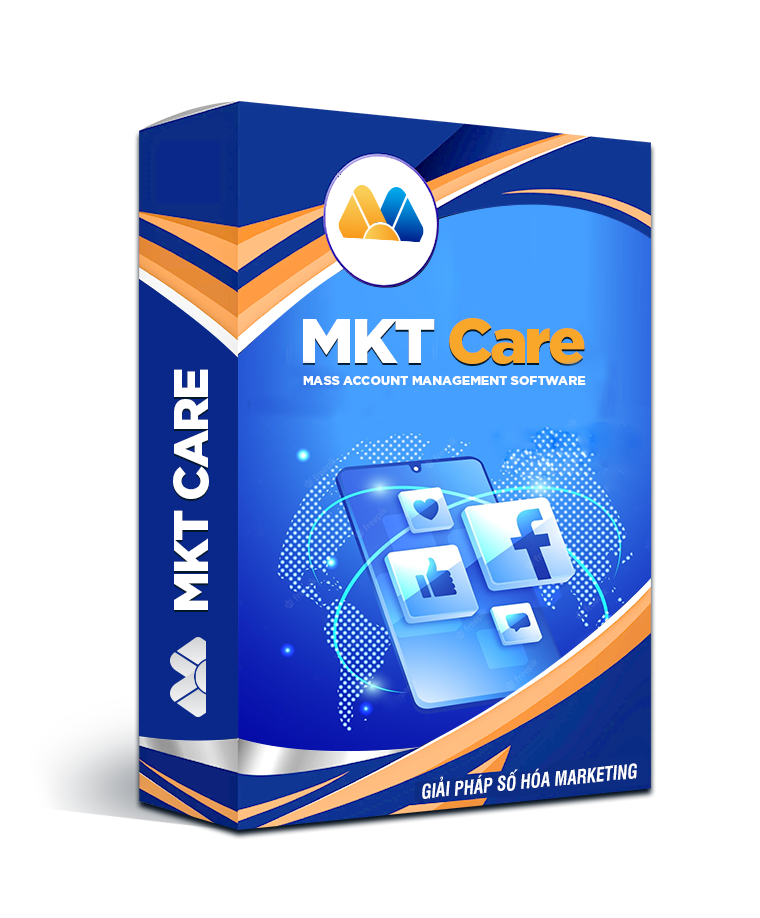
MKT Care is positioned as Facebook marketing and account management software for businesses that need to manage account activity at scale. Based on the official MKT Software product information, MKT Care supports account management, profile updates, account interaction workflows, posting, commenting, messaging, friend-related workflows, and support processes for restricted accounts.
For a business user, the practical value is organization. Instead of handling many small Facebook tasks one by one, the team can manage a structured workflow for accounts, content, interactions, and follow-up activity. This is especially relevant for online sellers, local businesses, agencies, affiliate teams, and marketers who already use Facebook as a serious acquisition channel.

You can also watch the MKT Care walkthrough video here: MKT Care video guide on YouTube.
Best Practices for Facebook Automation
Use automation carefully. A strong Facebook workflow should still feel human, relevant, and helpful. Avoid repeating identical messages too often, avoid sending cold outreach without context, and avoid using automation to create fake social proof. For the USA and global market, this matters because customers are more sensitive to trust, privacy, and platform compliance.
Good automation supports real business processes: planning content, keeping account data organized, monitoring routine activity, and helping the team respond faster. It should not be used as a shortcut for low-quality content or aggressive behavior.
Who Should Consider Facebook Account Management Software?
This type of software is most useful when Facebook is already part of the business workflow. If you only post once a month, you may not need a dedicated system yet. But if Facebook helps you generate leads, support customers, promote offers, manage communities, or run multi-account campaigns, software can save meaningful time.
- Small businesses: organize daily Facebook activity without hiring a large team.
- E-commerce sellers: manage product posts, promotions, and customer conversations.
- Agencies: keep client workflows separated and easier to track.
- Affiliate marketers: manage campaign content and engagement routines more consistently.
- Local service providers: stay active with prospects while reducing repetitive tasks.

How to Choose the Right Facebook Account Management Tool
Before choosing software, list the exact tasks that consume the most time. Do you need account organization, posting support, comment tracking, messaging workflows, profile updates, or campaign reporting? The best tool is the one that matches your current bottleneck.
You should also check usability, support, documentation, update frequency, and whether the software fits the way your team actually works. A complex tool is not automatically better. For small businesses, the winning setup is usually the one the team can use every week without friction.
FAQ
What is the best Facebook account management software for small businesses?
The best option depends on your workflow. If you need Facebook-focused account management, content activity, interaction workflows, and operational support, MKT Care is one option to evaluate.
Can Facebook account management software increase sales?
Software can help your team work faster and more consistently, but it does not guarantee sales. Sales still depend on offer quality, audience fit, content, follow-up, and customer trust.
Is Facebook automation safe to use?
Automation should be used carefully and within platform rules. Avoid spam behavior, misleading engagement, and overly aggressive activity. Use software to organize legitimate marketing work.
Does MKT Care replace a marketing team?
No. MKT Care supports execution and organization. A team still needs strategy, creative content, customer understanding, and good follow-up.
Conclusion
Facebook can still be a valuable channel for small businesses, online sellers, and agencies, but managing account activity manually becomes harder as the workflow grows. Facebook account management software helps bring order to the process: organize accounts, plan content, manage routine activity, track engagement, and review performance.
If your business is spending too much time on repetitive Facebook tasks, explore MKT Care or contact MKT Software for guidance on the right setup.
Consult MKT Software on WhatsApp +84 87 659 4809 or Telegram @vumtienmkt.